
Pick to Light is a smart Poka Yoke solution that accelerates order picking while ensuring accuracy. By eliminating picking lists and enabling two-handed picking, it reduces errors, speeds up processes, and lowers costs, making it ideal for e-commerce, production, and distribution centers.

Jimmy Kleibrant
Head of Sales

Light-guided picking and sensors ensure precise item selection every time.

Paperless, streamlined workflows enable two-handed picking for increased speed.

Reduce errors and optimize efficiency to save time and lower operational costs.
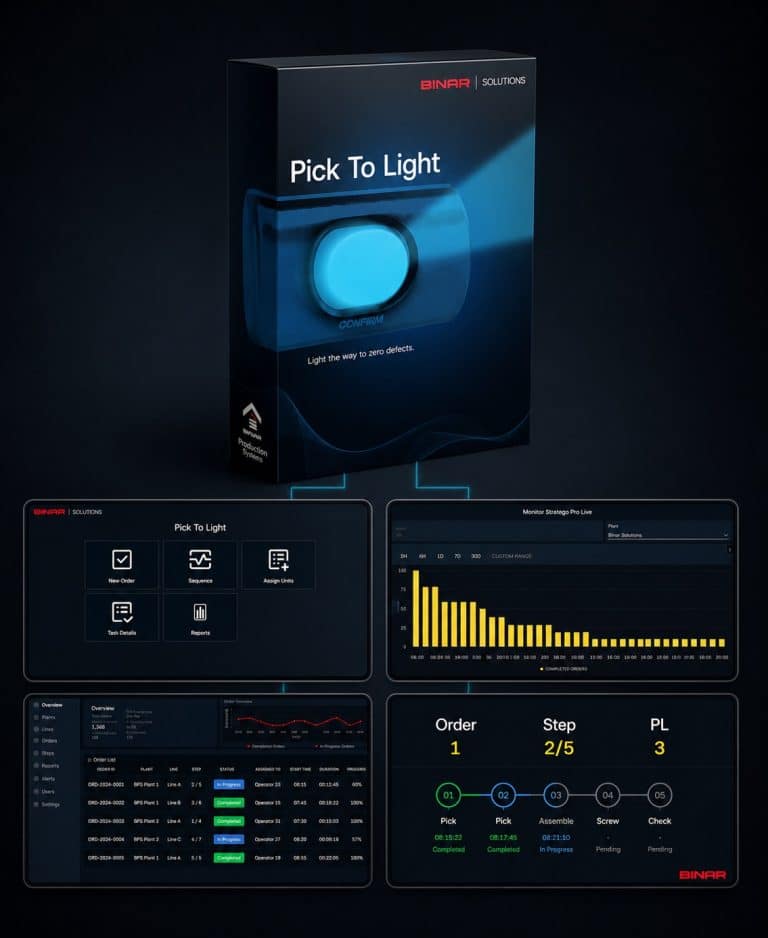
BPS (Binar Production System) is a powerful, user-friendly platform for configuring, monitoring, and optimizing your entire Pick to Light workflow.
Designed for rapid deployment, it delivers full control over hardware and processes through clear, modern visualization — and integrates seamlessly with other BPS modules like Takt and Andon for a cohesive, scalable production environment.
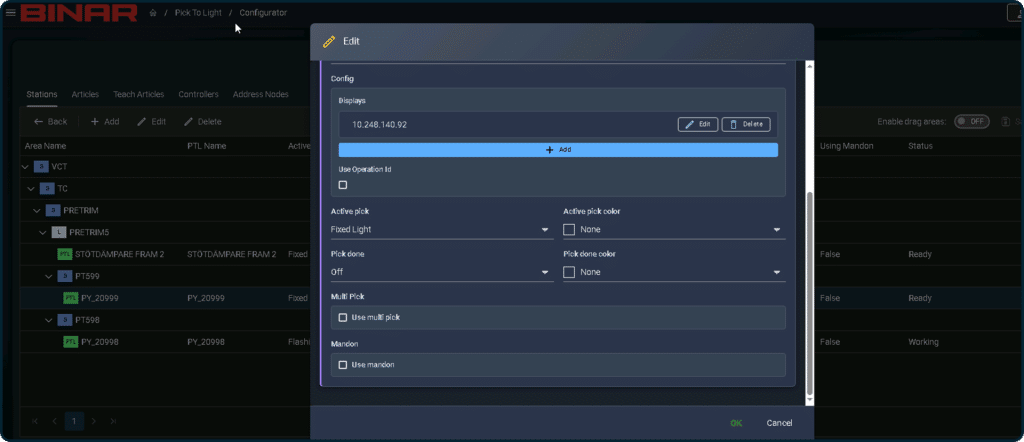
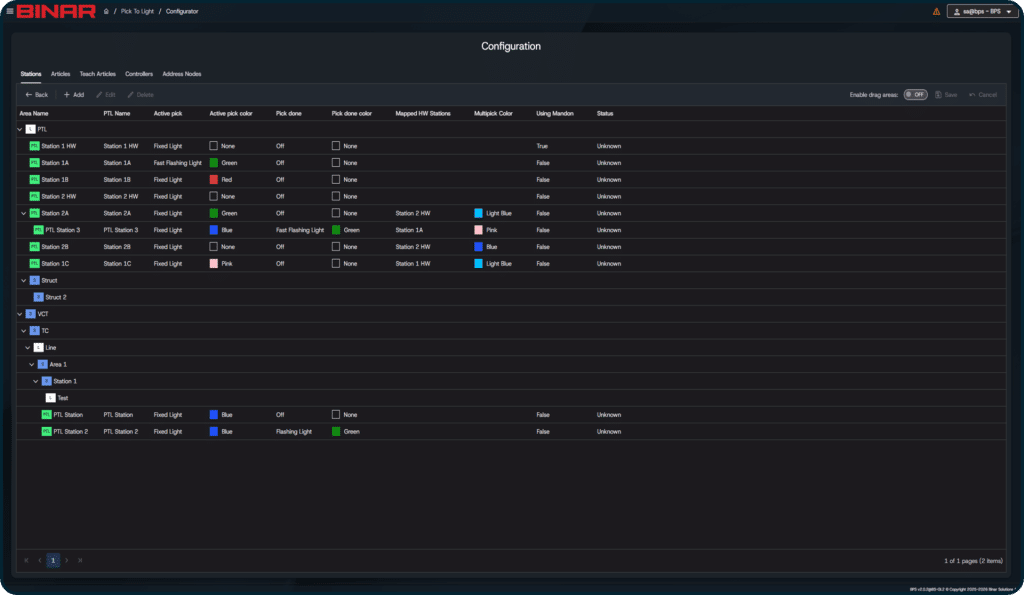
Pick Node Behavior Configuration
Flexible configuration of pick node behavior during picking operations to
support different workflows and operational needs.
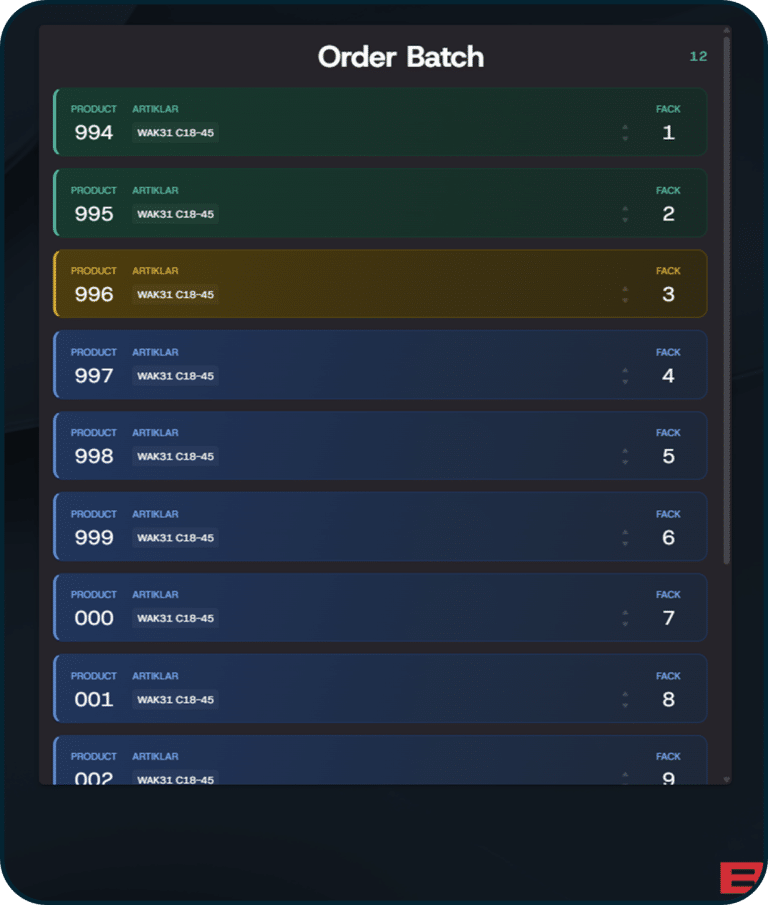
Orders Batch – Widget
Displays all orders in a batch so the operator can quickly see which orders are:
It also shows the articles that need to be picked for the orders in the batch.
An optional auto-scroll feature can scroll to the next active order automatically, so the operator doesn’t have to scroll manually.
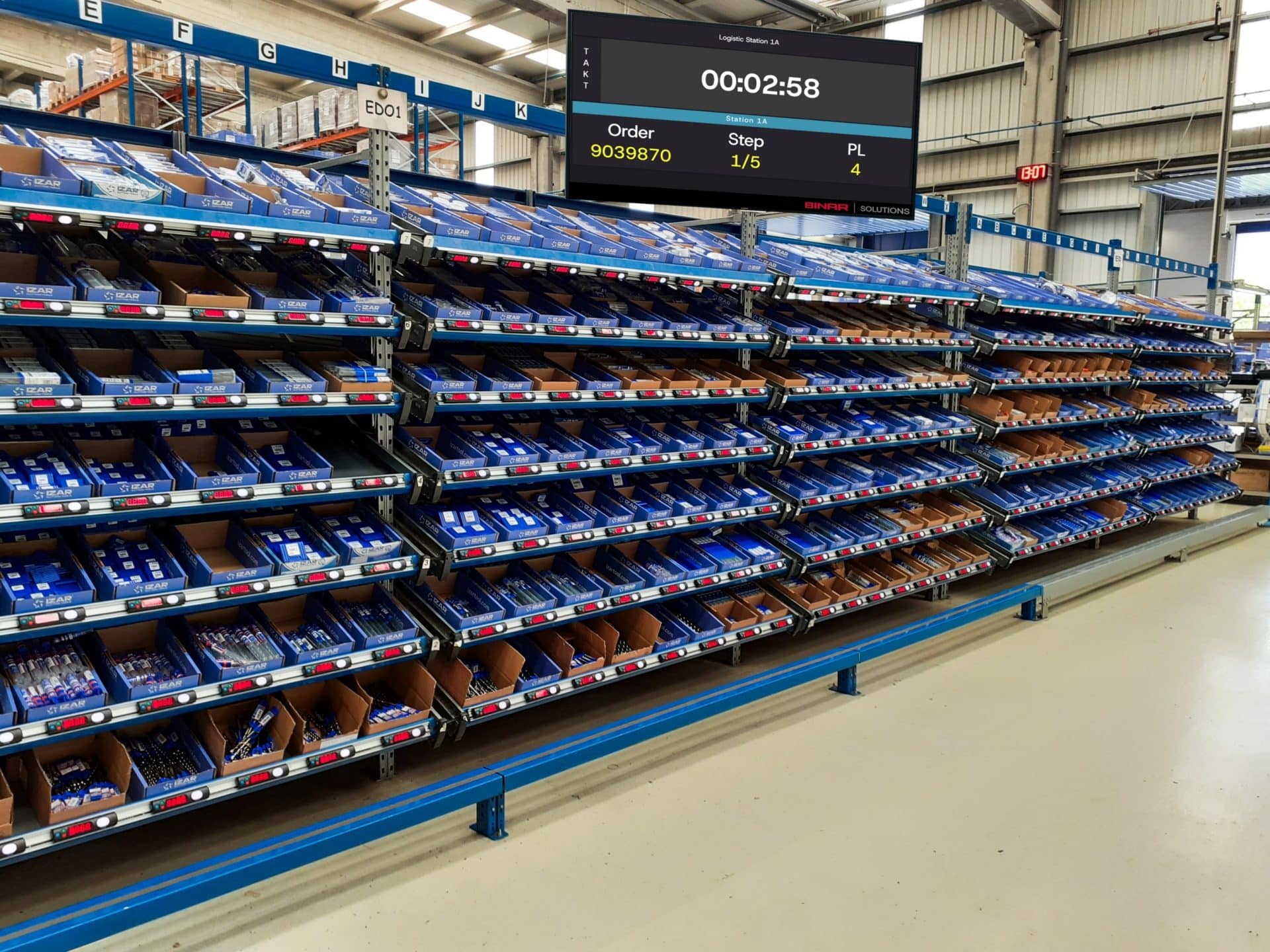
Pick to Light is a paperless, light-guided system that ensures operators pick the correct items and quantities. With a simple light indication and sensor-based confirmation, it enhances accuracy and eliminates errors. This system is perfect for manual picking, sorting, and assembly in industries like e-commerce and distribution.
The system uses LEDs, displays, and buttons at each storage location to guide operators. A light indicates the correct compartment, and a display shows the quantity to pick. Confirmation is done via a button or sensor, ensuring seamless and error-free operation. Multi-order picking is also possible with color-coded LEDs for simultaneous tasks.
For easy implementation, Binar Solutions offers a stand-alone Pick to Light system. With no IT integration or external hardware needed, you can launch and manage one or more stations independently. It’s user-friendly, scalable, and ready to meet your needs from day one.
See our wide range of products. We have, among other things, displays, sound, lights and buttons to streamline and quality assure your production.
Talk directly to our expert on the subject or fill out the form and we will contact you as soon as possible.
Jimmy Kleibrant
Head of Sales
"*" indicates required fields